SurveyMonkey Review for Freelancers Best Survey Tool for Client Feedback?
Freelancers today rely heavily on data-driven decisions to improve their services, understand clients, and grow their businesses. One of the most effective ways to collect insights is through surveys. This is where tools like SurveyMonkey come in.
In this complete guide, we’ll explore a detailed SurveyMonkey review for freelancers, including its features, pricing, pros and cons, and whether it’s worth using in 2026.
If you’re already using client management tools for freelancers, adding a survey tool like SurveyMonkey can significantly improve how you collect feedback and manage client relationships.
What is SurveyMonkey?
SurveyMonkey is one of the most popular online survey platforms that allows users to create surveys, collect responses, and analyze data easily.
Freelancers use SurveyMonkey to:
- Collect client feedback
- Improve services
- Conduct market research
- Understand customer satisfaction
Unlike basic forms, SurveyMonkey offers advanced analytics and customization, making it a powerful tool for professionals.
Why Freelancers Need Survey Tools Like SurveyMonkey
Freelancing is not just about completing projects—it’s about understanding your clients.
Using survey tools alongside client management tools for freelancers helps you:
- Identify client needs and expectations
- Improve communication strategies
- Measure satisfaction levels
- Build long-term relationships
For example, after completing a project, you can send a quick survey to your client asking about their experience.
If you want to improve your payment workflow as well, check this guide:
Key Features of SurveyMonkey
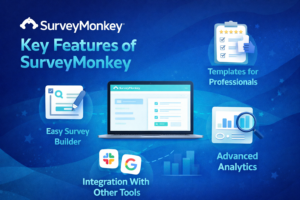
Here are the most important features freelancers should know:
1. Easy Survey Builder
SurveyMonkey provides a drag-and-drop interface, making it easy to create surveys even for beginners.
2. Templates for Professionals
It offers ready-made templates for:
- Customer feedback
- Client satisfaction
- Market research
3. Advanced Analytics
You can track responses, analyze trends, and generate reports.
4. Custom Branding
Freelancers can customize surveys to match their brand identity.
5. Integration With Other Tools
SurveyMonkey integrates with tools like:
- Slack
- Google Workspace
- CRM platforms
This makes it a perfect addition to your client management workflow.
SurveyMonkey Pricing (2026)
SurveyMonkey offers both free and paid plans.
| Plan | Features | Price |
|---|---|---|
| Free | Basic surveys, limited responses | $0 |
| Standard | More responses, analytics | ~$25/month |
| Premium | Advanced features, team tools | $75+/month |
Freelancers just starting out can use the free plan, but growing professionals benefit from paid plans.
Pros and Cons of SurveyMonkey
Pros
- Easy to use
- Professional templates
- Powerful analytics
- Trusted platform worldwide
Cons
- Limited features in free version
- Paid plans can be expensive
- Some features require upgrades
SurveyMonkey vs Other Survey Tools
Comparison Table
| Tool | Best For | Pricing | Ease of Use |
|---|---|---|---|
| SurveyMonkey | Professional surveys | Paid | Easy |
| Google Forms | Free surveys | Free | Very Easy |
| Typeform | Interactive forms | Paid | Very Easy |
SurveyMonkey stands out because of its advanced analytics and professional features.
How SurveyMonkey Fits With Client Management Tools for Freelancers
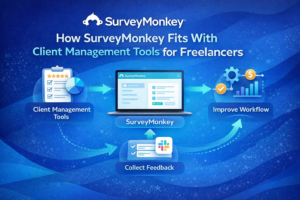
Using SurveyMonkey together with client management tools for freelancers creates a powerful system.
For example:
- Use client management tools → manage projects
- Use SurveyMonkey → collect feedback
- Improve workflow → deliver better results
This combination helps freelancers build stronger client relationships.
You can also learn how freelancers track projects and invoices here:
Expert Tips for Using SurveyMonkey as a Freelancer
1. Keep Surveys Short
Clients prefer quick surveys (3 5 questions).
2. Ask Clear Questions
Avoid confusing or complex wording.
3. Use Feedback to Improve Services
Always act on the responses you receive.
4. Send Surveys at the Right Time
Best time: after project completion.
Security and Data Protection
When collecting client data, security is important.
According to Cybersecurity and Infrastructure Security Agency, professionals should:
- Use secure platforms
- Protect client data
- Avoid sharing sensitive information
SurveyMonkey provides secure data handling, making it safe for freelancers
Is SurveyMonkey Worth It for Freelancers?
Yes especially if you want to grow professionally.
SurveyMonkey helps freelancers:
- Understand client needs
- Improve service quality
- Increase client retention
- Build trust
For freelancers serious about scaling their business, it’s a valuable investment.
FAQ SurveyMonkey for Freelancers
Is SurveyMonkey free for freelancers?
Yes, there is a free plan, but it has limitations.
What is SurveyMonkey best used for?
It is best for collecting client feedback, surveys, and research data.
Can freelancers use SurveyMonkey with other tools?
Yes, it integrates with many tools including Slack and Google Workspace.
Is SurveyMonkey better than Google Forms?
SurveyMonkey offers more advanced features, while Google Forms is simpler and free
HubSpot Customer Feedback Guide
Final Verdict
SurveyMonkey remains one of the best survey tools for freelancers in 2026. Its powerful features, ease of use, and professional templates make it ideal for collecting client feedback and improving services.
When combined with client management tools for freelancers, SurveyMonkey becomes part of a complete system that helps freelancers manage clients, track performance, and grow their business efficiently.