How Freelancers Schedule Meetings With Clients Efficiently Using Scheduling Software
Freelancers today work with clients across different cities, countries, and time zones. While this creates more opportunities, it also makes scheduling meetings more challenging. Managing calls manually through emails or chat messages can waste time and create confusion for both freelancers and clients.
Professional freelancers use meeting scheduling software to simplify the process. These tools allow clients to book meetings based on real availability, automatically adjust time zones, and send reminders to reduce missed appointments. Efficient scheduling improves productivity, strengthens client relationships, and helps freelancers maintain a professional workflow.
This guide explains how freelancers schedule meetings with clients efficiently using modern scheduling tools and proven workflow strategies.
Why Meeting Scheduling Is Important for Freelancers
Freelancers rely heavily on communication to understand client requirements, present project updates, and finalize deliverables. Poor meeting organization can delay projects and reduce client satisfaction.
Efficient scheduling helps freelancers maintain structured communication. It also saves time that would normally be spent exchanging messages to agree on meeting times.
Scheduling software allows freelancers to focus more on delivering quality work instead of managing calendars manually. It also improves professionalism, especially when working with international clients.
Freelancers who already use project management tools or client management software often integrate scheduling tools into their workflow to create a complete business management system.
Common Challenges Freelancers Face When Scheduling Meetings

Freelancers often struggle with time management when working with multiple clients. Without proper scheduling tools, freelancers may accidentally double book meetings or forget important calls.
Time zone differences are another major challenge. A meeting time that works for a freelancer may be inconvenient or incorrect for an international client. Manual scheduling increases the risk of confusion and missed appointments.
Freelancers also waste time responding to multiple emails trying to find a meeting time that suits both parties. This process reduces productivity and slows down project progress.
Scheduling software solves these problems by automating booking, sending reminders, and synchronizing calendars.
Best Scheduling Software Freelancers Use
Calendly
Calendly is one of the most popular freelancer meeting scheduling software solutions. It allows freelancers to share booking links where clients can choose available meeting times.
Calendly automatically adjusts time zones and integrates with Google Calendar, Zoom, and Microsoft Teams. Freelancers can create different meeting types such as consultation calls, project discussions, or client onboarding sessions.
Google Calendar Appointment Scheduling
Google Calendar offers built-in appointment scheduling features that allow freelancers to share booking pages. Since many freelancers already use Google Workspace, this option provides a simple and integrated scheduling solution.
Google Calendar automatically syncs meetings and sends reminders to both freelancers and clients.
Microsoft Bookings
Microsoft Bookings works well for freelancers using Microsoft Office tools. It allows automatic meeting booking and integrates with Outlook Calendar and Microsoft Teams for video meetings.
Step by Step Guide to Scheduling Client Meetings Efficiently
Step 1: Choose a Professional Scheduling Tool
Freelancers should select a scheduling tool that integrates with their calendar and communication platforms. Calendly and Google Calendar are popular choices because they are easy to use and support automation.
Using scheduling software ensures freelancers maintain accurate availability and avoid booking conflicts.
Step 2: Set Your Availability Hours
Freelancers should define working hours and preferred meeting times inside the scheduling tool. Setting availability prevents clients from booking meetings during non working hours.
Freelancers who manage multiple clients efficiently usually block focused work hours and only allow meetings during selected time slots. This improves productivity and reduces distractions.
Step 3: Create Meeting Types
Professional freelancers create different meeting categories depending on client needs. Examples include consultation meetings, project planning sessions, feedback discussions, and final project reviews.
Scheduling software allows freelancers to assign different durations and meeting rules for each category. This keeps communication organized and structured.
Step 4: Share Booking Links with Clients
Freelancers can send booking links through email, project management platforms, or messaging apps. Clients can select available meeting times without back and forth communication.
Sharing booking links improves client experience and reduces scheduling delays. Many freelancers include booking links in email signatures or onboarding documents.
Step 5: Use Automated Reminders
Automated reminders reduce missed meetings and improve professionalism. Scheduling software sends notifications through email or calendar alerts before the meeting starts.
Freelancers who use reminder automation often experience fewer cancellations and improved workflow consistency.
Step 6: Integrate Video Meeting Tools
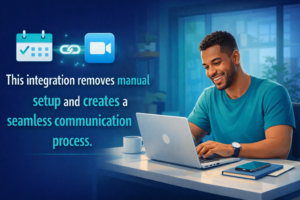
Freelancers working remotely often integrate scheduling software with Zoom, Google Meet, or Microsoft Teams. When a client books a meeting, the system automatically generates a video meeting link.
This integration removes manual setup and creates a seamless communication process.
How Scheduling Tools Improve Freelancer Productivity
Scheduling software allows freelancers to automate repetitive tasks. Instead of manually coordinating meeting times, freelancers can focus on project delivery and client work.
Freelancers who already track time and invoices digitally benefit from scheduling tools because they create a complete business workflow. Meeting tracking helps freelancers record billable consultation hours and improve income tracking.
Scheduling tools also improve project organization. Freelancers using project management tools such as Trello or ClickUp often link meetings directly to project tasks and timelines.
Tips for Managing Client Meetings Professionally
Freelancers should prepare meeting agendas before each call. A clear agenda keeps discussions focused and prevents unnecessary delays.
Recording meeting notes helps freelancers track client requirements and project changes. Many scheduling platforms allow freelancers to add notes and attach documents directly to meetings.
Freelancers should also maintain consistent communication by scheduling regular project update meetings. This improves transparency and strengthens client trust.
Security and Privacy When Scheduling Meetings
Freelancers must protect client data when scheduling meetings online. Using secure scheduling platforms ensures meeting links and client details remain protected.
Freelancers should avoid sharing meeting links publicly. Password protected video meetings provide additional security for sensitive client discussions.
Freelancers who already store client files securely online should follow similar security practices for meeting scheduling systems.
Best Practices for Working with International Clients
Freelancers working globally should always confirm meeting times using automatic time zone conversion. Scheduling software ensures both parties view accurate meeting times.
Freelancers should also consider client working hours and cultural differences. Offering flexible scheduling options improves client satisfaction and long term business relationships.
How Scheduling Software Helps Freelancers Scale Their Business
Freelancers who automate scheduling often handle more clients without increasing workload. Automation reduces administrative tasks and allows freelancers to accept more projects
Scheduling tools also improve professionalism, making freelancers appear more organized and reliable. This increases client retention and referral opportunities.
Freelancers who integrate scheduling software with invoicing tools and project management systems create a fully automated business workflow.
Conclusion
Efficient meeting scheduling is essential for freelancers who want to manage clients professionally and maintain productive workflows. Scheduling software eliminates manual coordination, prevents booking conflicts, and improves communication with clients.
Tools such as Calendly, Google Calendar, and Microsoft Bookings help freelancers automate meeting booking, send reminders, and integrate video conferencing platforms. These features allow freelancers to focus on delivering quality services instead of managing administrative tasks.
Freelancers who combine scheduling tools with project management software, time tracking tools, and secure file storage systems create a complete business management system. This improves efficiency, increases client satisfaction, and supports long term freelance growth.
FAQ Section
What is the best meeting scheduling software for freelancers
Calendly, Google Calendar, and Microsoft Bookings are popular scheduling tools that allow freelancers to automate meeting booking and manage client communication efficiently.
How do freelancers avoid meeting scheduling conflicts
Freelancers avoid conflicts by using scheduling software that synchronizes calendars and automatically blocks unavailable time slots.
Can scheduling tools work with video meeting platforms
Yes scheduling tools integrate with video platforms such as Zoom and Google Meet to automatically generate meeting links.
Why is automated meeting scheduling important for freelancers
Automated scheduling saves time, reduces missed appointments, and improves professionalism when working with clients.